Features

Built for the bench,
not the boardroom.

Every feature in StringsTheory was designed around how real repair shops, luthiers, and small manufacturers actually work — from intake to invoice. Native macOS, iPad, and iPhone app with web companion.

What’s new
The headline upgrades in the current release.
✓Work Order Form Builder — build your own intake forms with 13 question types and run them on the customer-facing kiosk. Answers land structured on the work order, not in a notes field
✓Receipt & Order Import Scanner — drop in a supplier invoice PDF and get matched inventory plus FIFO cost lots out. Learns each supplier's SKUs as you go, and a reconciliation gate holds every line until you approve it
✓Serialized Production at True Cost — production runs consume BOM components through FIFO lots, so every serialized unit carries the actual cost of the parts that went into it
✓Service Hub — RMAs, Loaners, and Warranties tracked in one place, with scannable service tags and pickup sign-off
✓Print Server Console — manage your shop's print server from inside the app, with per-item barcode labels on demand
✓Shortage Board & Bench Capacity Calendar — every part holding up a build on one board, and a calendar that shows how much bench time each week actually has
✓Full iPhone Support — the complete INV app on iPhone: inventory, work orders, and barcode scanning in your pocket
✓Encrypted Backups & Data Health — AES-256-GCM whole-file backups to Dropbox or iCloud, plus a Data Health check that finds and repairs integrity issues before they cost you
Dashboard
Your shop's pulse at a glance.
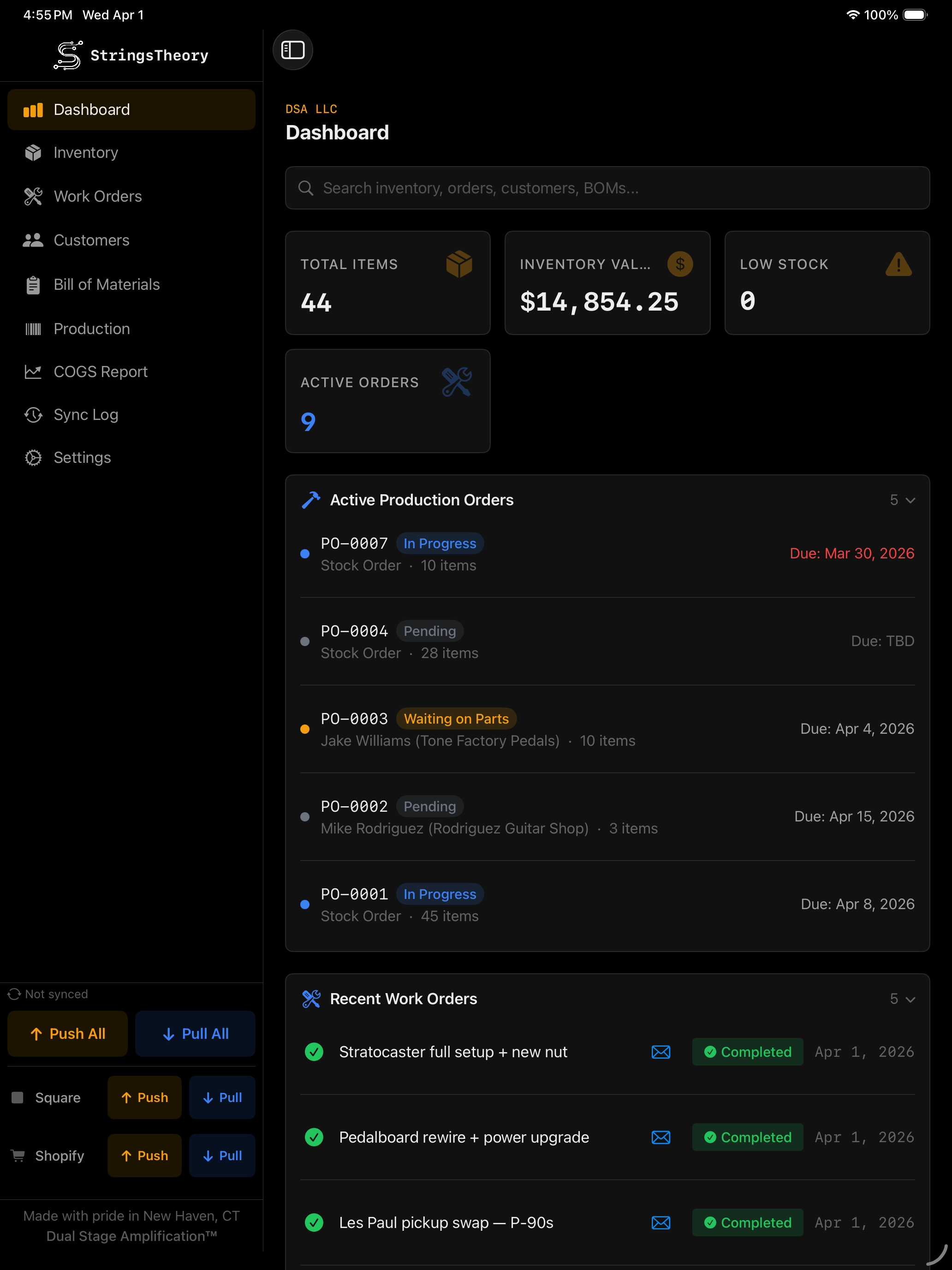
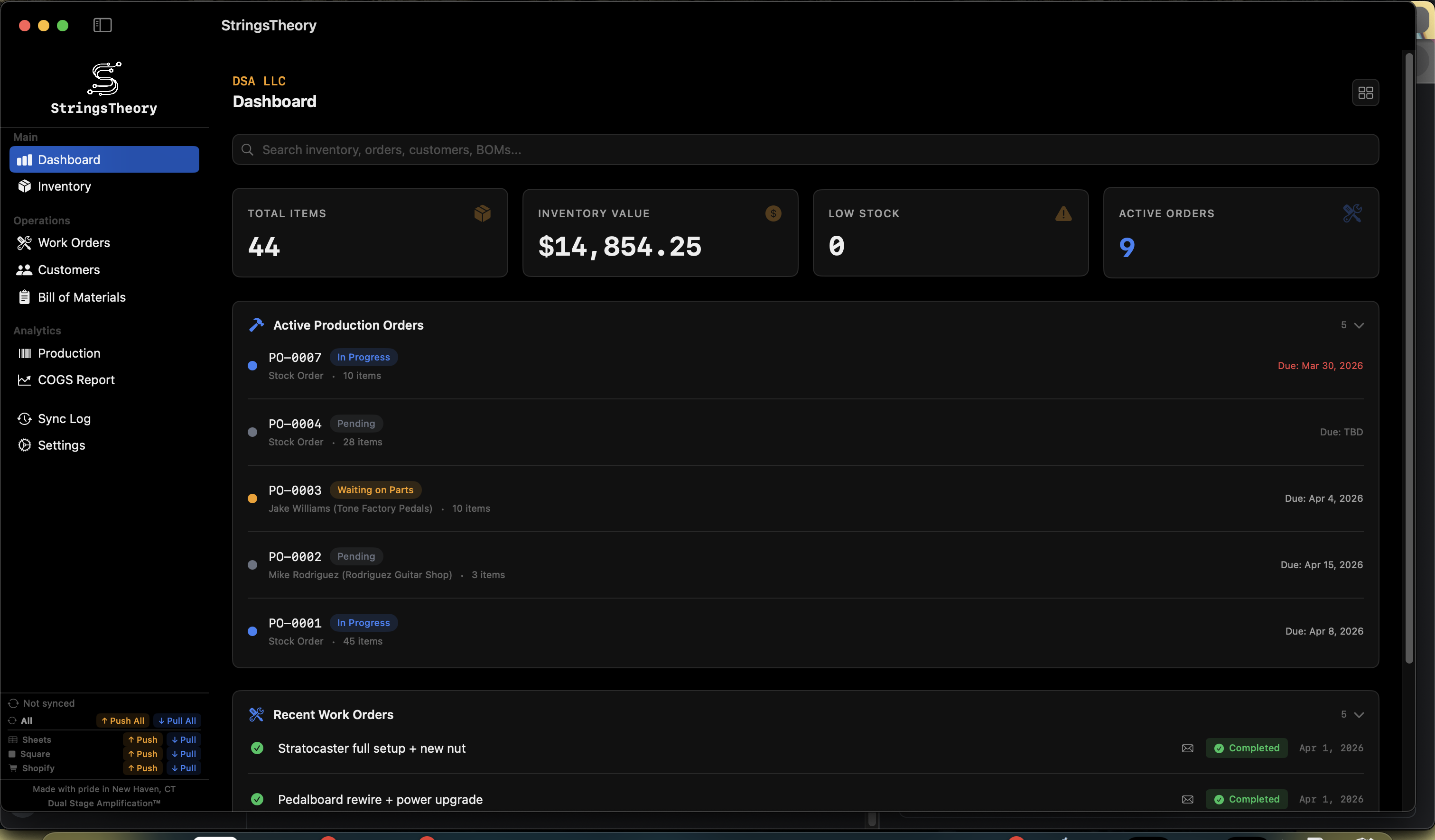
✓Summary cards: Total Items, Inventory Value, Low Stock Alerts, Active Work Orders
✓Overdue Work Orders card — surfaces WOs past their due date that are still pending or in progress, sorted by due date with a per-row days-late count
✓Production Summary card — stacked horizontal bar chart of active production orders by status; tap the paintbrush to recolor any bucket
✓Recent work orders with live status badges
✓Reorder alerts — items below threshold
✓Lot expiration alerts — flag stale electrolytics, aging batteries, and adhesives past their shelf life
✓Active production orders
✓Global ⌘K search — spotlight-style cross-entity search across inventory, work orders, customers, BOMs, and production. One keystroke and type a SKU, customer name, serial, or WO number to jump straight to it
✓Refreshed Dashboard icons across all cards
StringsTheory Dashboard on Mac StringsTheory Dashboard on iPad
Inventory Management
Complete control over every item on your shelves.
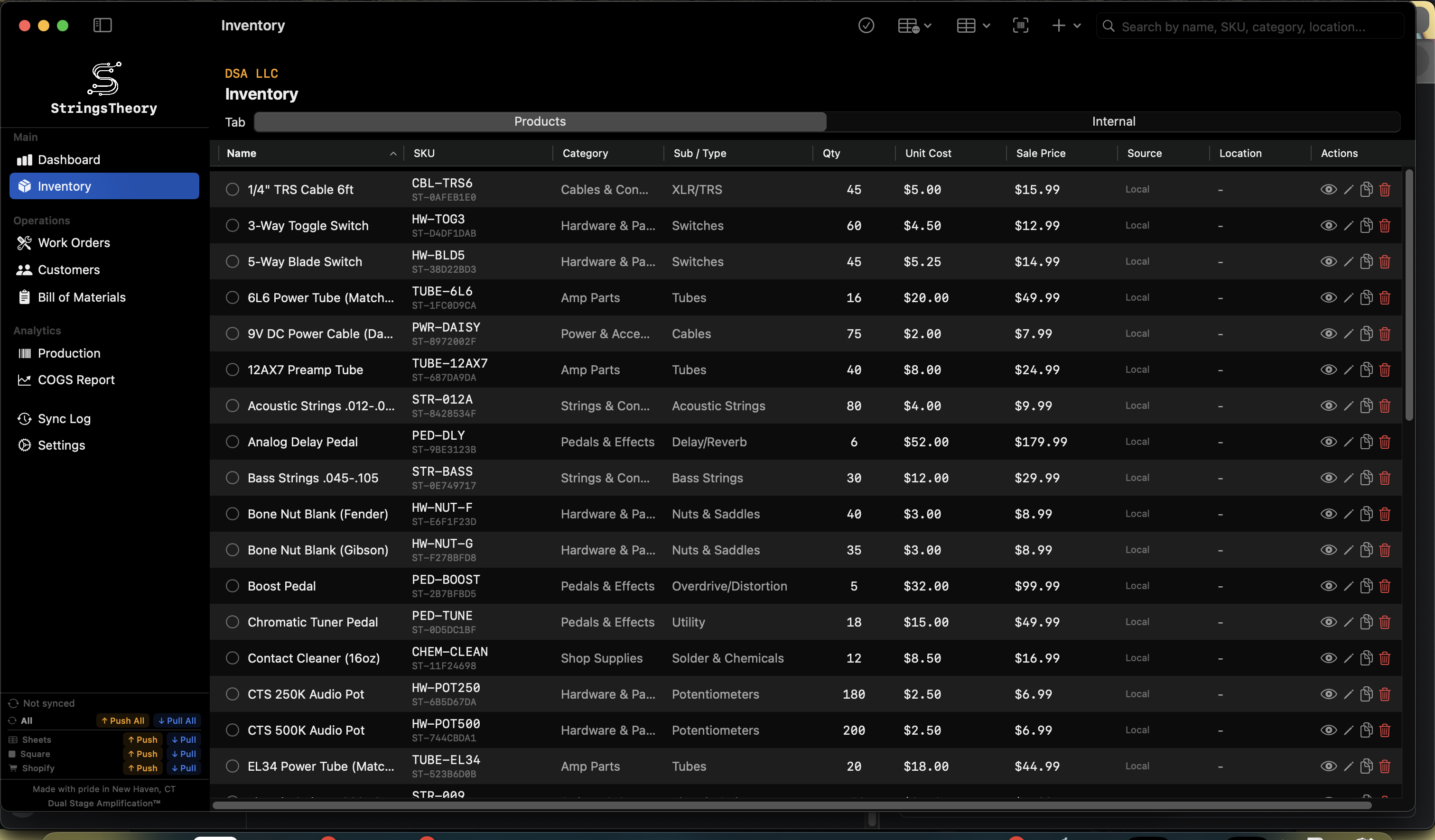
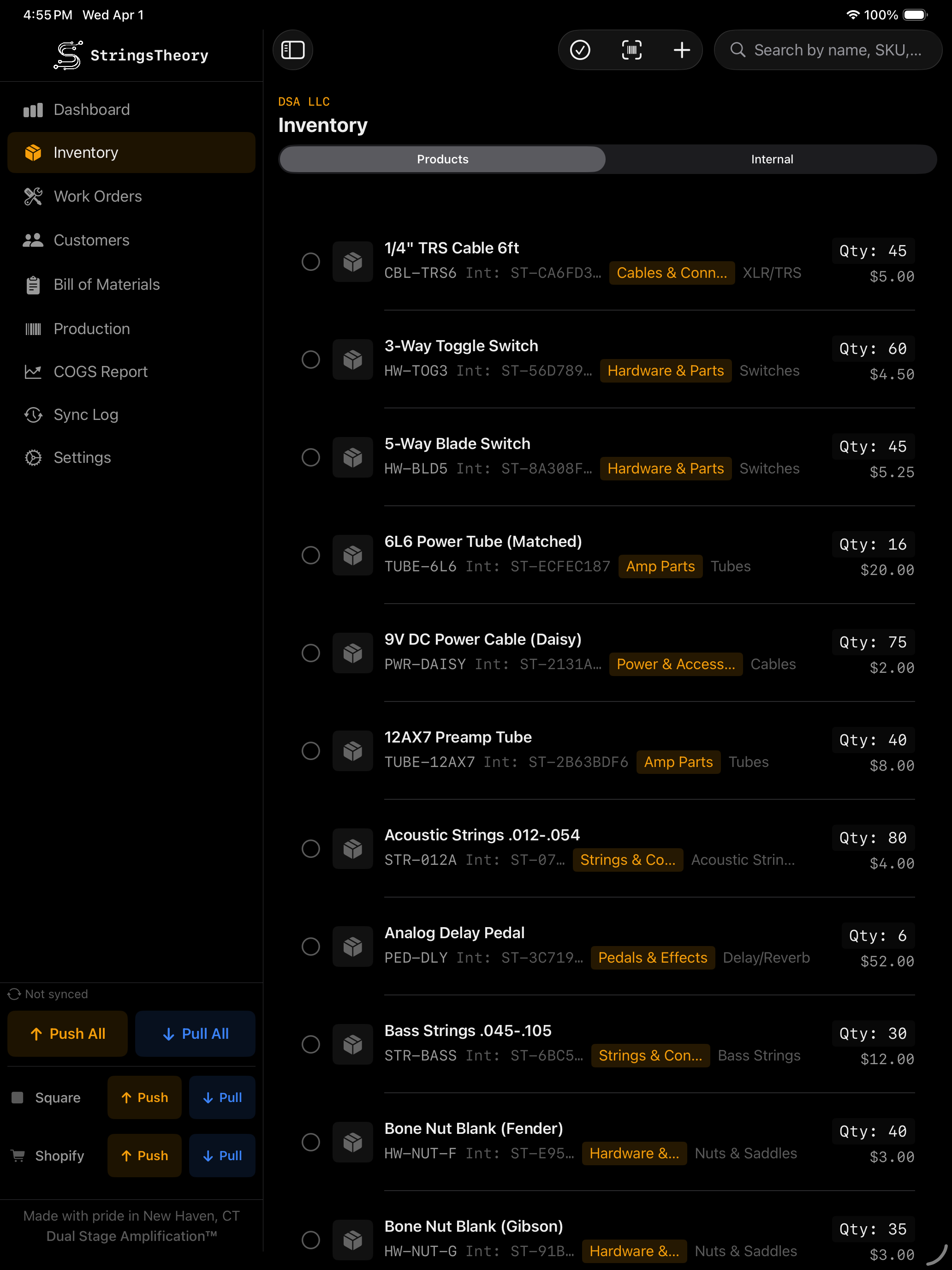
✓Full item management: name, SKU (auto or custom patterns), internal SKU, barcode, photos
✓Category / Subcategory / Item Type taxonomy with inline creation
✓16+ units of measure: each, box, bag, case, roll, spool, pack, pair, set, feet, meters, lbs, kg, oz, custom
✓Units per package with automatic cost-per-piece calculation
✓Unit Cost, Sale Price, reorder point, and reorder quantity with visual low-stock alerts
✓Location tracking and total inventory value calculated in real-time
✓Backorder detection
✓Item photos with camera capture or gallery import
✓Barcode scanning (Code128, QR, UPC) to find or create items
✓Wholesale item linking — wholesale to retail with auto stock deduction
✓Component and wholesale item linking
✓Bulk add items with shared properties
✓Bulk edit — update category, type, location, reorder point, sale price, or sync flags across multiple items
✓Built-in barcode scanner (camera on iPad, USB scanner on Mac)
✓Detailed Inventory Mode — opt-in per-category spec fields (capacitance, resistance, tolerance, voltage, tube type, package, footprint, and more) for technical inventories
✓Cross-part Substitution Rules — declare interchangeable parts so BOMs auto-pull a declared substitute when the primary is short
✓AI-assisted Receipt Import — drop in a supplier invoice (CE Distribution, Mouser, Tayda, D'Addario, Tube Depot, StewMac, Newark, plus unknown vendors via LLM fallback). Apple Foundation Models on-device extract line items and match them to inventory — invoices never leave your Mac
✓Hierarchical Location Bins — Building → Room → Shelf → Bin tracking so anyone on the bench can find a 22uF cap without a treasure map. Scan-to-find from any item barcode, or print bin labels straight from the Label Designer
✓Stocktake / Cycle-Count Mode — scan-driven count sessions for end-of-month or surprise audits. Expected-vs-actual reconciliation, with variances posting as adjustments so COGS stays honest
✓Lot Expiration Tracking — per-cost-lot expiry dates auto-populated from each item's shelf life. Surfaced on the Dashboard before electrolytics, batteries, or adhesives go stale in production
✓Velocity-based Reorder Forecasting — learns real usage rate from transaction history and projects days-until-empty per item, factoring in supplier lead times
✓Undo for destructive actions — 60-second undo window after delete via actionable toast across inventory, work orders, customers, and BOMs
StringsTheory inventory management on Mac StringsTheory inventory management on iPad
Work Orders
From drop-off to pick-up, fully tracked.
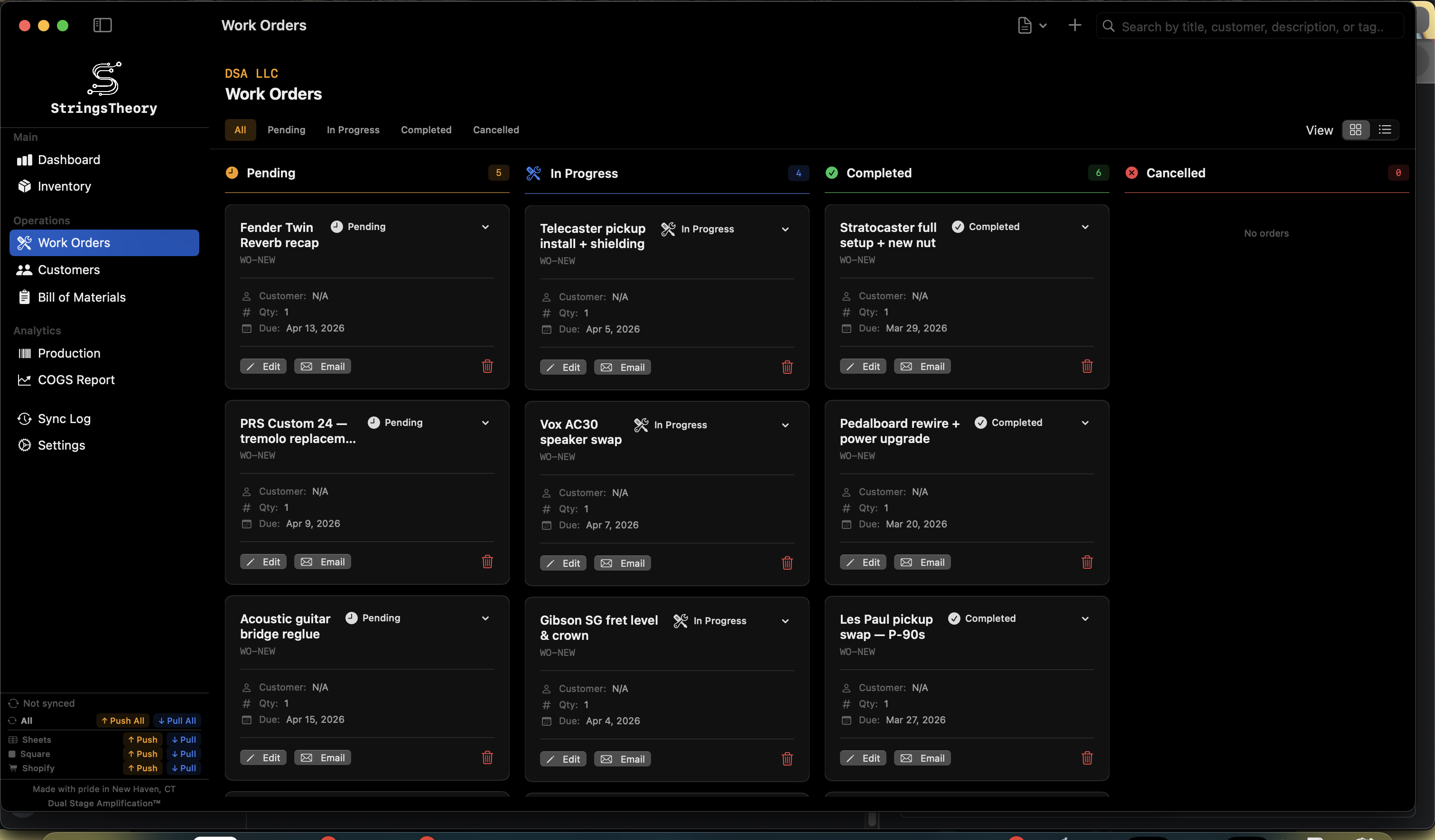
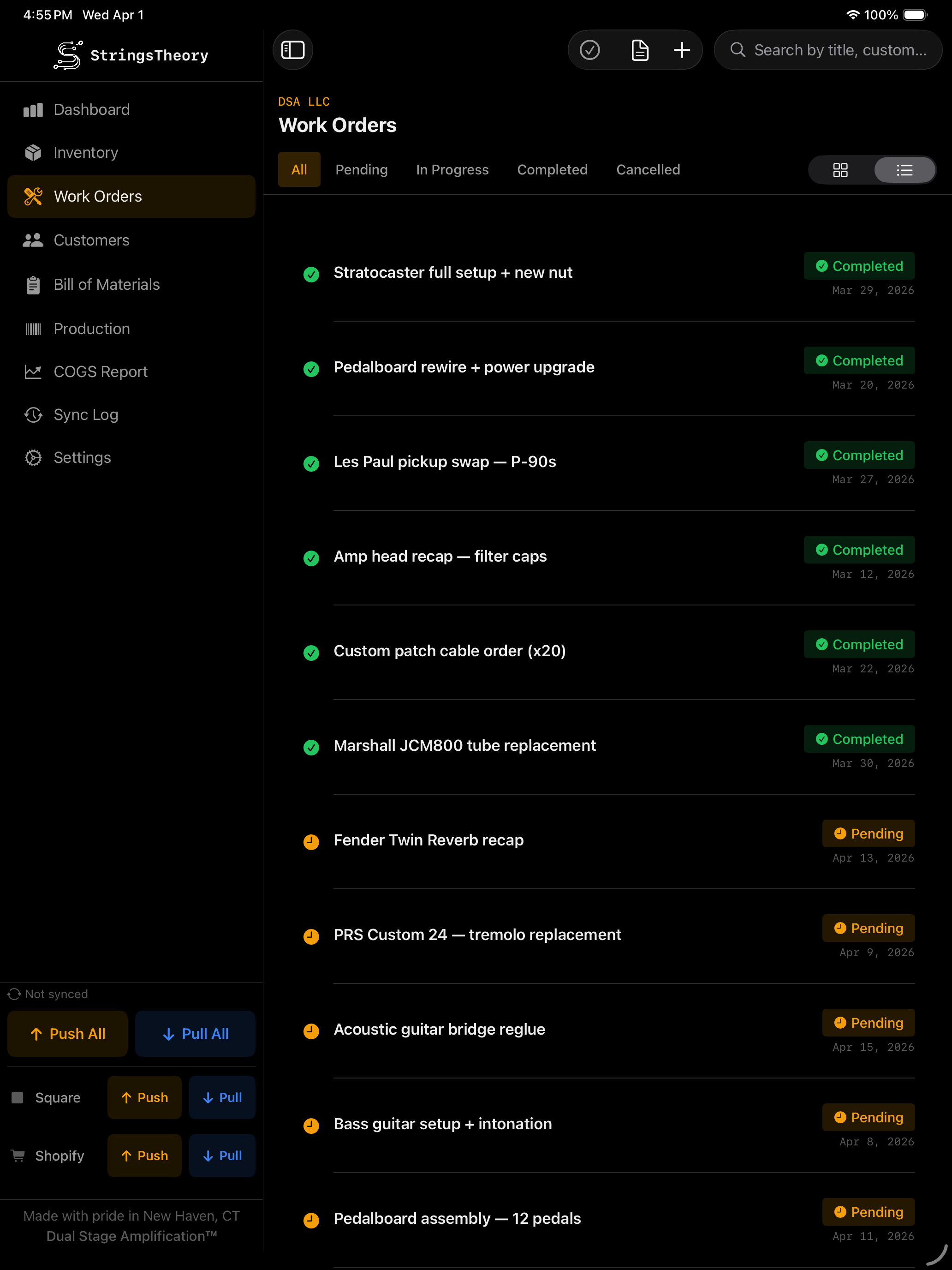
✓Three view modes: Kanban board, compact list, detailed list
✓Eight-status workflow: Pending Triage → Pending → Awaiting Parts → In Progress → QC → Ready for Pickup → Completed / Cancelled
✓Dashboard callouts for Pending Triage and Ready for Pickup — tap to jump to Work Orders pre-filtered to that status
✓Rich fields: title, description, BOM link, quantity, customer, due date, notes, terms & conditions
✓Work order templates — pre-configure title, description, checklists, fields, and tags
✓Apply templates with one tap to speed up intake
✓isCustomerCommon flag — surface templates on the Customer Intake Kiosk
✓Customizable checklists with progress tracking per order
✓Custom fields (text, number, dropdown)
✓Custom color-coded progress tags
✓Signature capture (touch on iPad, mouse/trackpad on Mac)
✓PDF generation with business branding
✓Email work orders directly to customers with customizable templates
✓Tag system for categorization and filtering
✓Search and filter by status, customer, title, or tags
StringsTheory work orders on Mac StringsTheory work orders on iPad
Workshop Calendar
Every promised due date on a single canvas.
✓Month-grid view of every Work Order and Production Order plotted by due date
✓Tap a day to see what's promised; tap an order to jump straight to its detail view
✓Color-coded by status so overdue, in-progress, and ready-for-pickup are obvious at a glance
✓Filter by customer, progress tag, or order type
✓Two-way Google Calendar sync — coming soon
Customer Intake Kiosk
Turn a shared iPad into a self-service drop-off station.
✓Simple Mode (default) — 4 active steps: You → What's going on? → Details → Sign. A flat list of 4–5 plain-English common services curated by the shop
✓Power Mode — full Category → Template flow preserved via Settings toggle for shops that want fine-grained customer self-classification
✓"Other / Not Sure" tile creates a Pending Triage work order so the shop owner can triage it later
✓"Hand to Customer" button on the Dashboard and Work Orders toolbars launches the kiosk full-screen in one tap
✓PIN exit gate — kiosk only exits via the owner's PIN, set once in Settings
✓Tap-anywhere Welcome screen and labeled step indicator (You · Service · Details · Sign)
✓Customer search with phone-first autocomplete plus explicit "I'm new" path
✓Optional signature capture with printed name and shop terms-of-service blurb
✓Auto-reset on inactivity with configurable timeout
✓Auto-launch on app start for dedicated iPad kiosks
✓Test Mode preview for setup without writing work orders
✓Auto-email confirmation to customer on submission
✓Auto-print repair labels on submit (see Labels & Printing below)
Customers
Keep every client relationship organized.
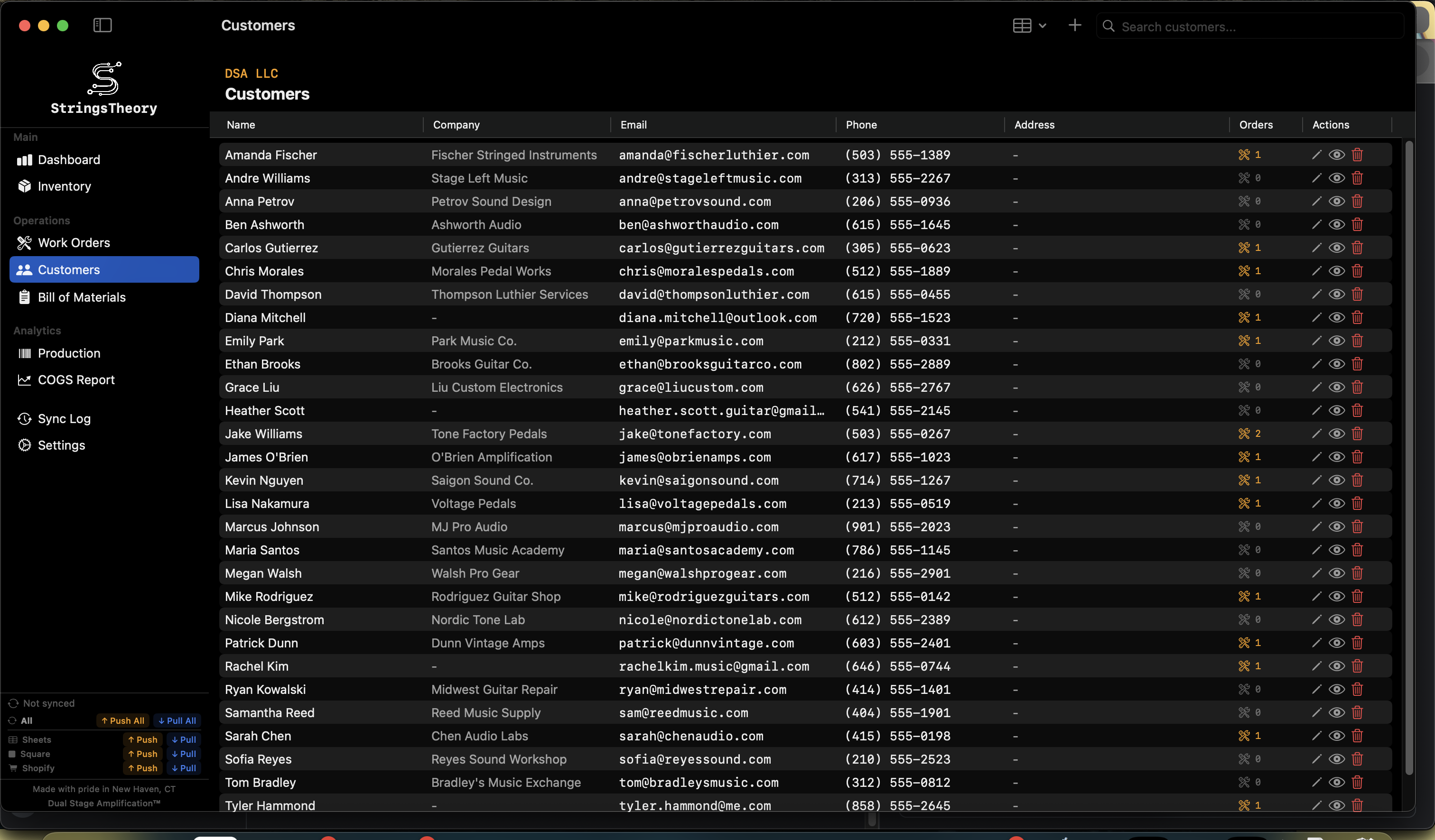
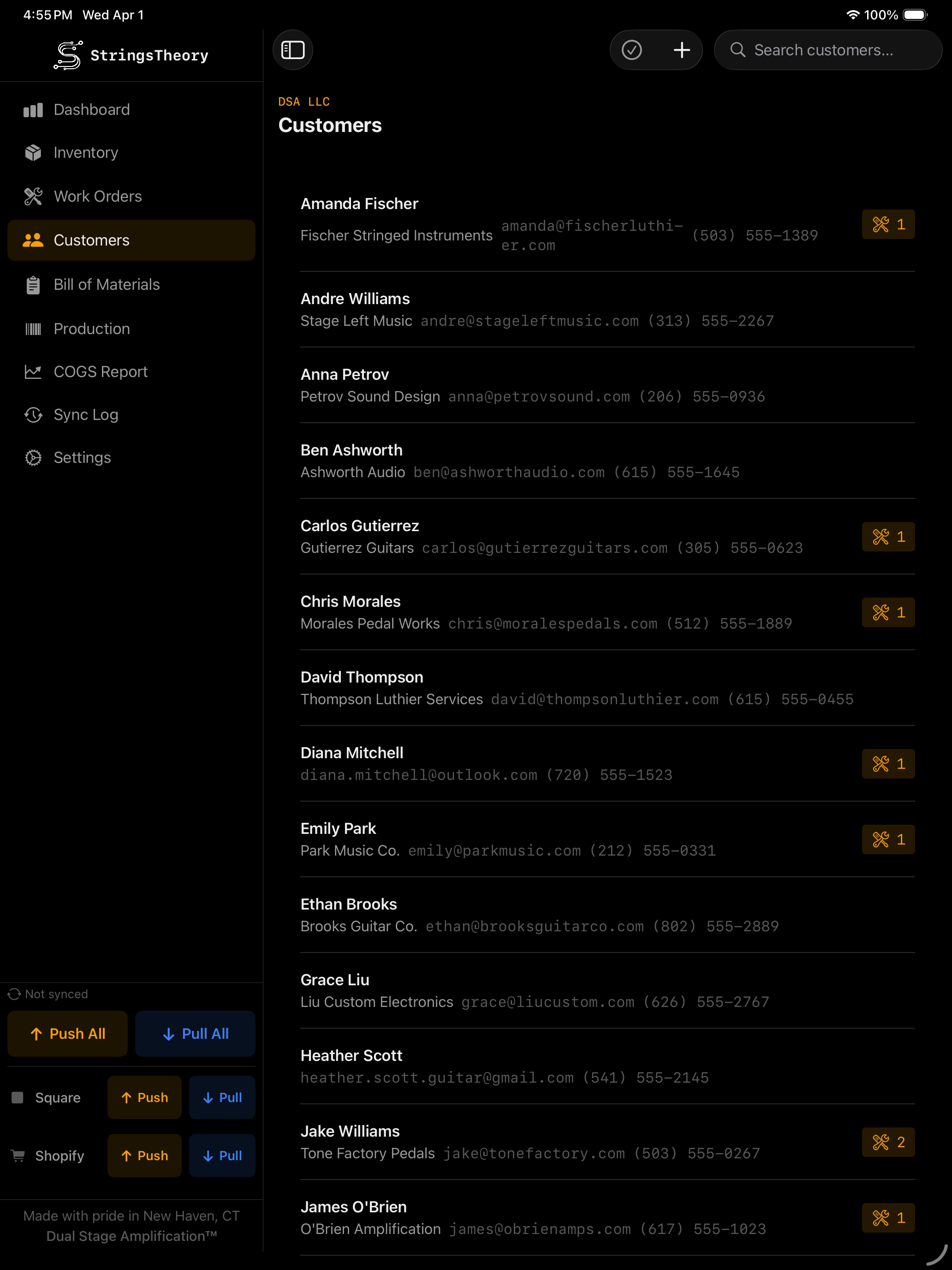
✓Full customer records: name, email, phone, company, address
✓Search by any field
✓Linked to work orders and production orders
✓Multi-select for bulk actions
✓CSV import/export
✓Inline customer creation from work order or production order forms
StringsTheory customers on Mac StringsTheory customers on iPad
Supplier Directory
Your vendor list, with the numbers you actually use.
✓Managed vendor list — name, contact, account number, website, notes
✓Default payment terms per supplier (net-15, net-30, prepay, COD, custom)
✓Lead-time defaults per supplier — feeds the velocity forecaster so reorder timing accounts for how long parts actually take to arrive
✓Per-item supplier linkage — track which vendor each part came from for re-orders and price history
✓Inline supplier creation from the Receipt Import wizard — new vendors save as you go
BOM (Bill of Materials)
Know exactly what goes into every build.
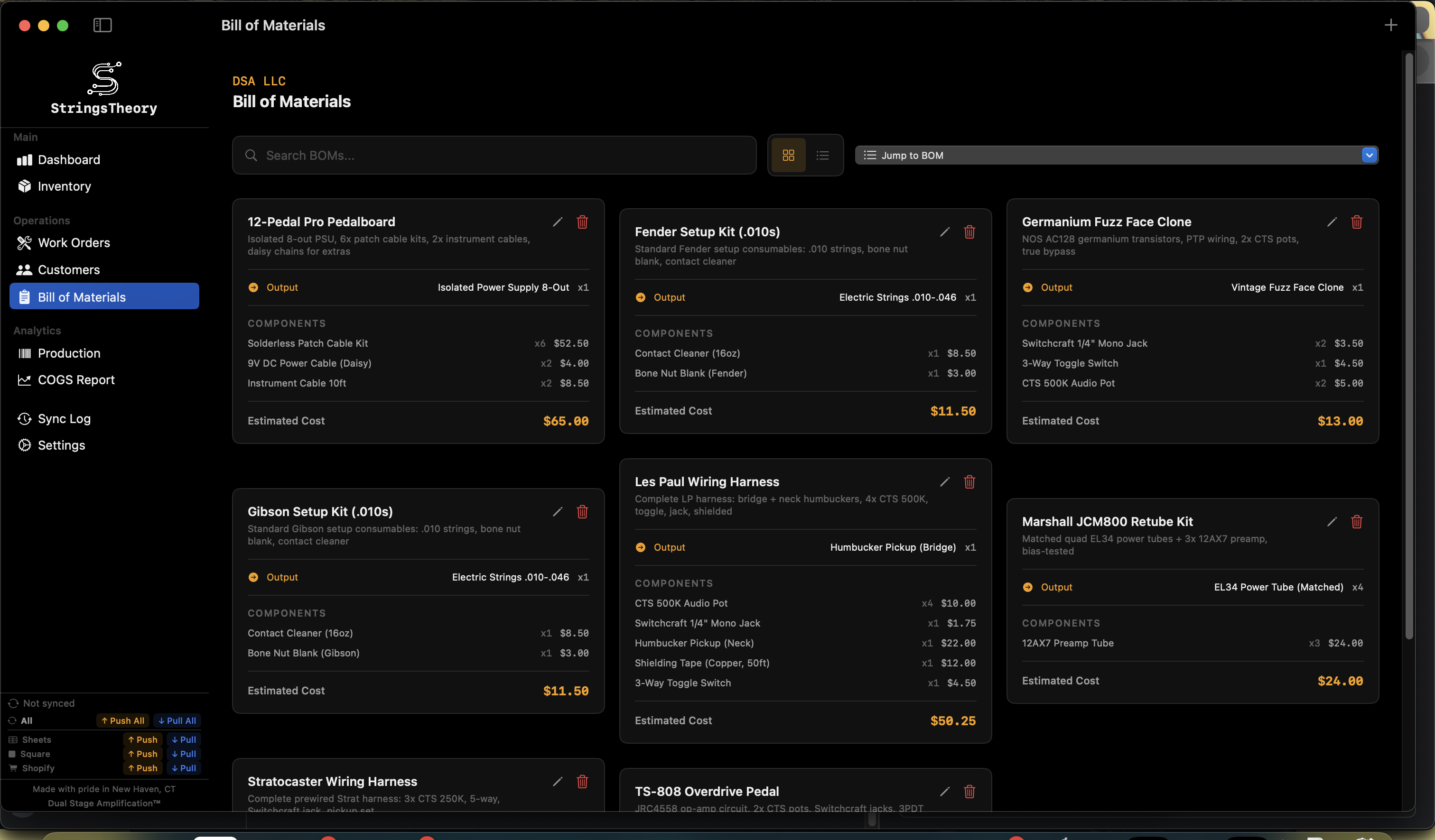
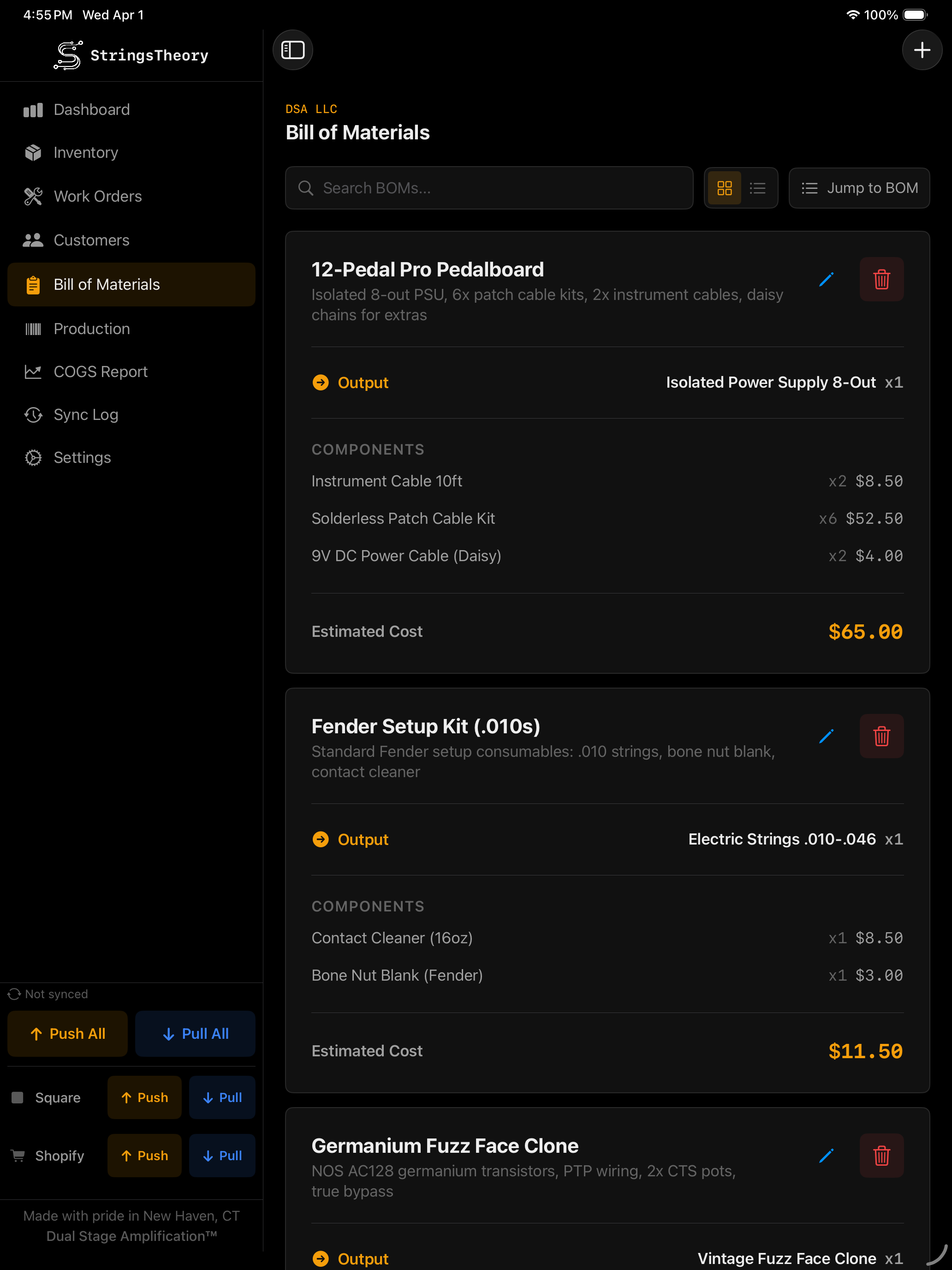
✓Create assemblies with output item, output quantity, and component items
✓Automatic cost estimation based on component unit costs
✓Self-reference prevention — output item cannot be a component
✓Search and filter BOMs
StringsTheory BOM on Mac StringsTheory BOM on iPad
Serialized Items & Production Tracking
Serial-level visibility across everything you build.
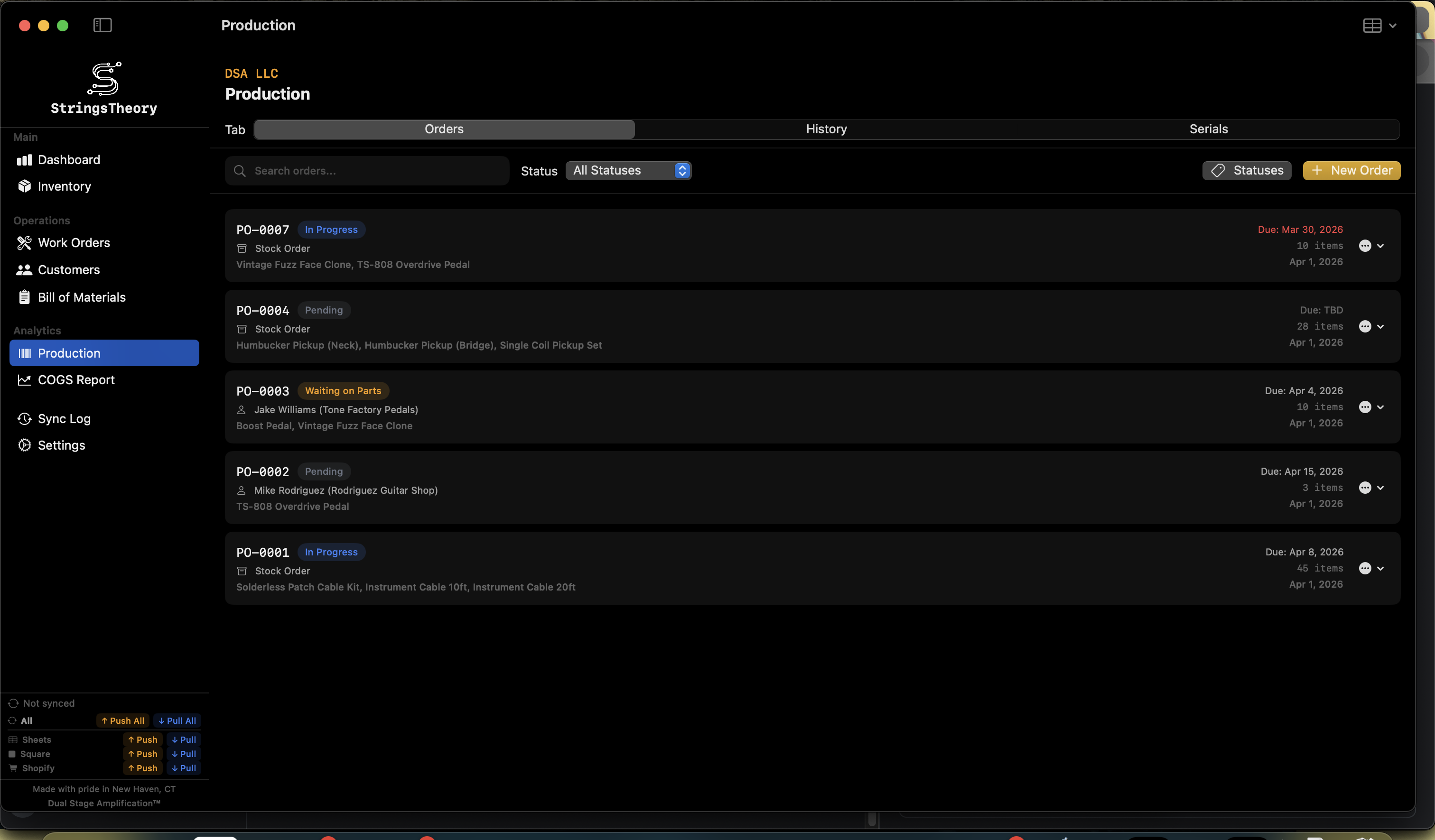
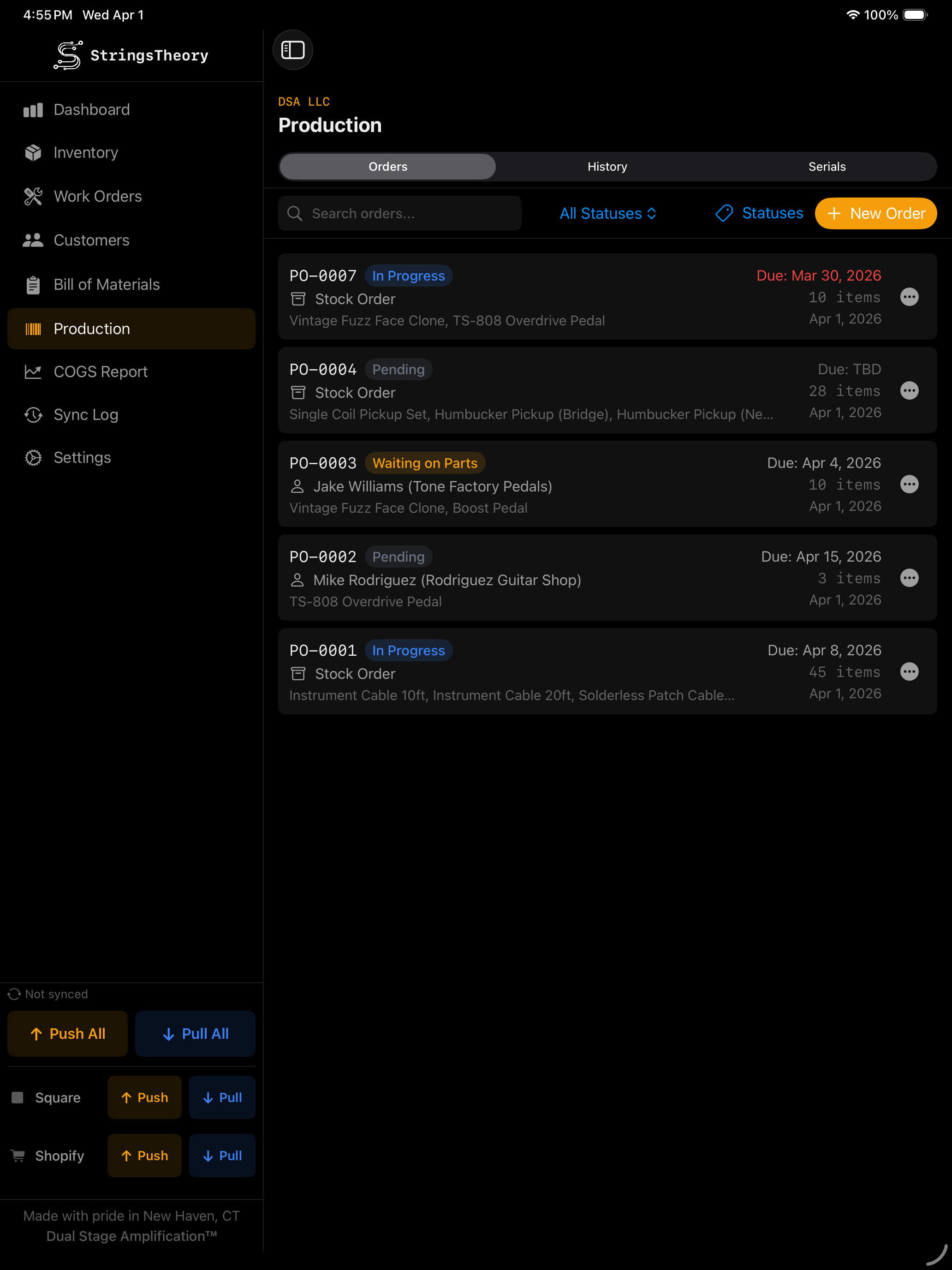
✓Production orders with auto-incrementing PO numbers
✓Stock orders and customer orders
✓Line items linked to inventory with quantities
✓Due date management with overdue highlighting
✓Custom progress tags with color coding
✓Serialized unit tracking — serial number, status, manufactured date, revision, color
✓Unit statuses: Available, Reserved, Consigned, Sold, In Repair, Defective
✓Dealer and customer assignment per unit
✓Custom production fields (text, number, date) — define once, track per unit
✓CSV import/export of serialized units with flexible column matching
✓Customer resolution during import — auto-match by name or pick from dropdown
✓WIP cost rollup — for half-built production orders, see parts consumed × FIFO cost × percent complete. Real work-in-progress valuation, useful when the accountant asks what's sitting on the bench at month-end
StringsTheory production on Mac StringsTheory production on iPad
COGS (Cost of Goods Sold) Reports
Real numbers, real margins.
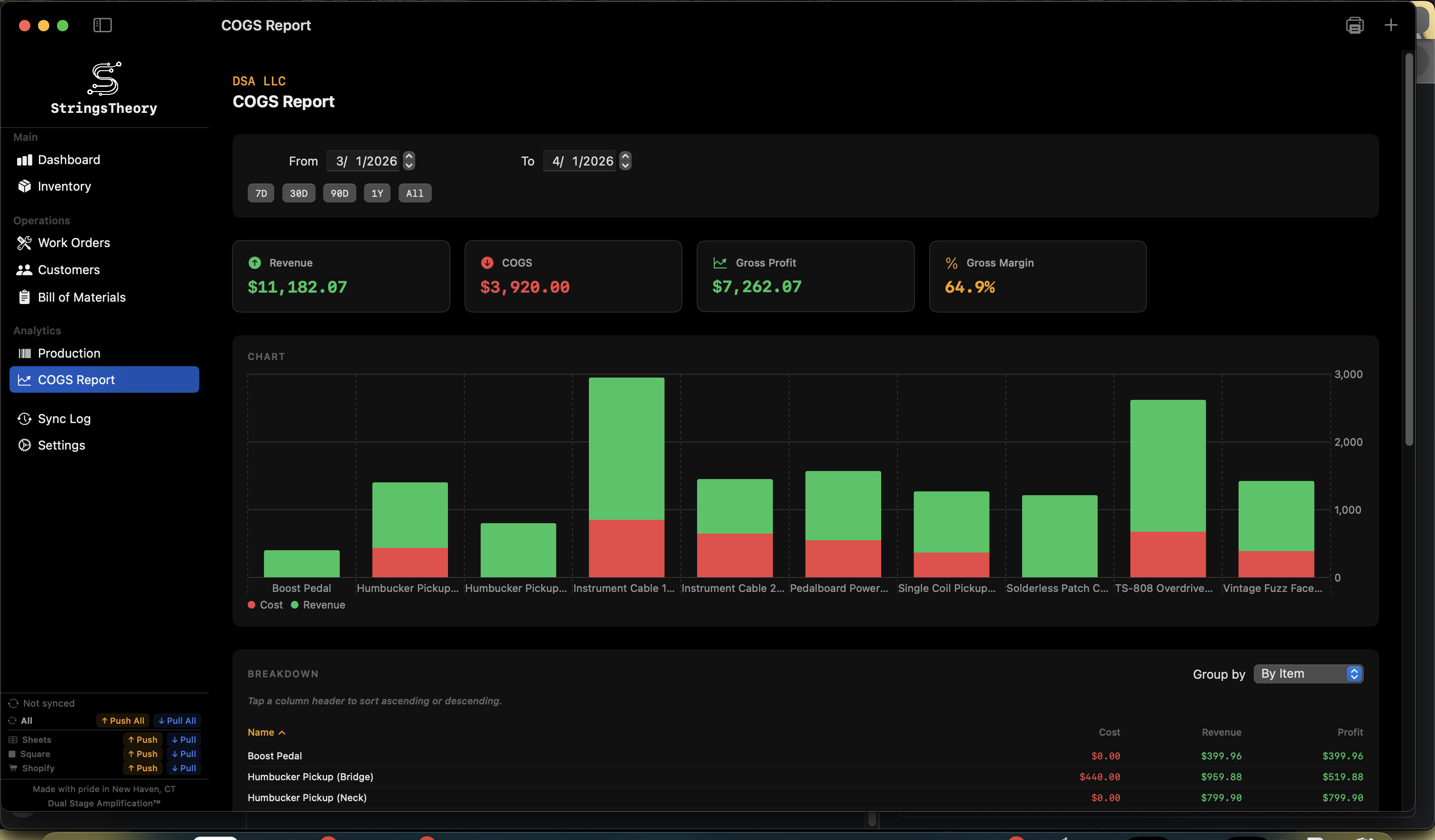
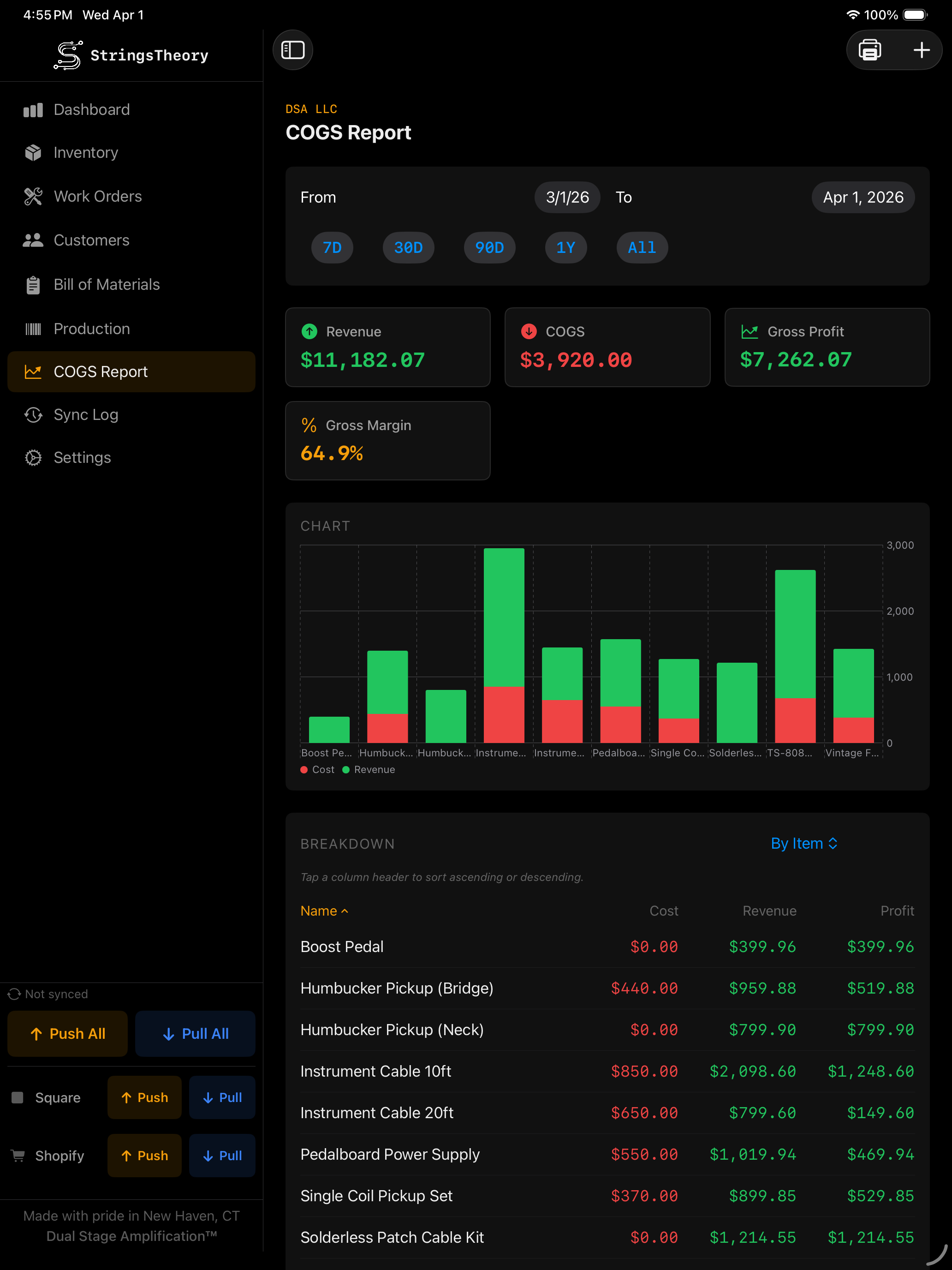
✓Track purchases, sales, work order usage, and adjustments
✓Date range filtering (7D, 30D, 90D, 1Y, All)
✓Revenue, COGS, gross profit, and gross margin calculations
✓Breakdown by item, type, day, or month
✓Bar chart visualization — cost vs. revenue per item
✓Sortable columns for detailed analysis
✓Exportable transaction data
StringsTheory COGS report on Mac StringsTheory COGS report on iPad
Label Design & Printing
Design, preview, and print labels your way — from a single barcode to a full batch run.
✓Visual drag-and-drop label designer with element rotation
✓60+ pre-built label templates (Dymo, Brother, custom sizes)
✓Seven built-in repair label designs: Repair Hangtag, Case Sticker, Customer Receipt, Parts Bag, Status Sticker, QC Pass, Ready for Pickup — all editable in the Label Designer
✓Design elements: Text, Barcode (Code128/UPC-A/EAN-13), QR Code, Images, Lines, Rectangles
✓25+ merge fields for dynamic content — including customer_phone_last4, customer_email, date_promised, service_summary
✓Import .dymo files from Dymo Label software
✓Production labels — auto-queue labels for every new serialized unit
✓Auto-print on customer intake submit — adaptive routing across three targets (Print Server / Local Printer / None) and three output modes (Auto / Native / Sheet), per-design copies and enable toggles, fail-soft to Print Queue
✓Multi-up sheet rendering — lay multiple thermal labels on a letter or A4 sheet with crop guides, for shops without a thermal printer
✓Dual-label support for front/back printing
✓Label image library
✓Print preview with live rendering
✓Print to system printer or PDF
✓Dedicated print queue with entries grouped by printer
✓Print status tracking with failure visibility and error messages
✓Bulk "Print All" per printer
✓Network print server support with Bonjour (mDNS) discovery
✓Printer role assignment: production, shipping, returns, inventory
✓Label size validation per printer brand (Dymo, Brother, Zebra, Rollo)
✓Batch job submission to network printers
Bulk Operations & CSV Import/Export
Move data in and out fast — with validation every step of the way.
✓Multi-item selection (Cmd/Shift+Click on macOS, tap on iPad)
✓Bulk edit: category, location, reorder point, integration sync toggles
✓Bulk add items with shared properties
✓Bulk delete with confirmation dialogs
✓Bulk status changes for work orders and production units
✓CSV template generation for any data type
✓Flexible import with validation preview and column mapping
✓Round-trip compatible: export → edit in Excel → re-import
✓Inventory CSV with all item fields
✓Production CSV with SKU, serial number, status, color, dates, dealer, customer, revision, custom fields
✓Customer CSV import/export
✓Work order CSV import via templates
✓Auto-create categories and item types from imported data
✓Customer resolution UI for production imports: auto-match, pick from list, or keep as text
Integrations
Connect your tools, automate the grunt work.
✓Square POS: OAuth with PKCE, two-way inventory sync, retry with exponential backoff
✓Square POS: Location-specific sync, catalog matching by SKU, variation preservation
✓Square POS: Field sync options (name, description, price, quantity), exclusion list
✓Shopify: OAuth with HMAC validation, product and variant synchronization
✓Shopify: Fulfillment location selection, two-way inventory quantities
✓Google Sheets: Push inventory and serial data, delta-based quantity tracking
✓Google Sheets: Per-item worksheets with serial unit details and custom production fields
✓Google Sheets: Import preview before applying changes
✓Configurable auto-sync intervals per integration (5, 15, 30, 60 min)
✓Per-item exclusion lists and field sync options
Cloud Sync & Multi-Device
Work anywhere — online or off. Your data follows you.
✓Bi-directional cloud sync across Mac and iPad Annual
✓Entity-level selective sync — choose what syncs
✓Tier-ordered sync — parent entities always sync before children
✓Manual conflict resolution with visual diff viewer
✓Conflict persistence — unresolved conflicts survive across sync cycles
✓Offline queue with automatic retry on reconnection
✓Delta tracking via JSON snapshots
✓Full sync log with device and integration filtering
✓Web app companion at app.stringstheoryinv.com
Team & Multi-User
Bring your whole team on board with role-based access. Annual
✓Email/password and Google OAuth login
✓5 roles: Owner, Admin, Tech, User, Viewer — with per-role permission scopes
✓Magic-link email invites — teammates click once and they're in, no shared passwords
✓Seat-based multi-tenant: each teammate gets their own login on the same shop data
✓User management: create, activate/deactivate, change roles, delete; deactivated users surface in their own section
✓Per-row "modified by" attribution across inventory, work orders, customers, and production
✓Forgot password and change password flows
✓Server-pushed announcement banners
Backup & Restore
Your data, protected and portable.
✓Full system backup including email templates
✓Encrypted whole-file backups (AES-256-GCM, PBKDF2-derived key) with Local, iCloud, or Dropbox destinations — plus photo and voice-note mirroring to Dropbox
✓Selective backup by data type
✓Local file export
✓Restore coordination — pauses sync during restore
✓Factory reset with confirmation
Email System
Keep customers in the loop automatically.
✓Customizable email templates with 19 merge fields
✓Auto-triggers on work order creation, status change, and completion
✓Delivery via Resend (cloud) or local mail client
✓PDF attachment support
✓HTML-sanitized merge fields (XSS prevention)
✓Rate limiting with toast feedback
✓Email template backup and restore
Activity Log
Who-did-what across the whole shop.
✓Every create, update, delete, and status change attributed to the user who made it
✓Filter by entity type — Inventory, Work Order, Customer, BOM, Production, Settings
✓Filter by user and by date range
✓Per-row drill-down to the affected entity
✓Pairs with the existing "modified by" attribution on each row — settles arguments without a paper trail
Keyboard Shortcuts & Quick Actions
Bench-tested defaults that get the mouse out of your way.
✓⌘1–⌘9 jump between sidebar destinations
✓⌘K opens global spotlight-style search across inventory, work orders, customers, BOMs, and production
✓⌘N creates a new item in the current section (Inventory, WO, Customer, BOM, Production)
✓Status row tinting toggle on the Work Orders board — color-codes whole rows by status for a glance-and-go view, or off for a calmer table
✓Undo toast (⌘Z to confirm undo of last delete within the 60-second window)
✓Refreshed Dashboard icons across all cards — sharper, more legible at small sizes
Settings & Configuration
Configure everything to match how your shop works.
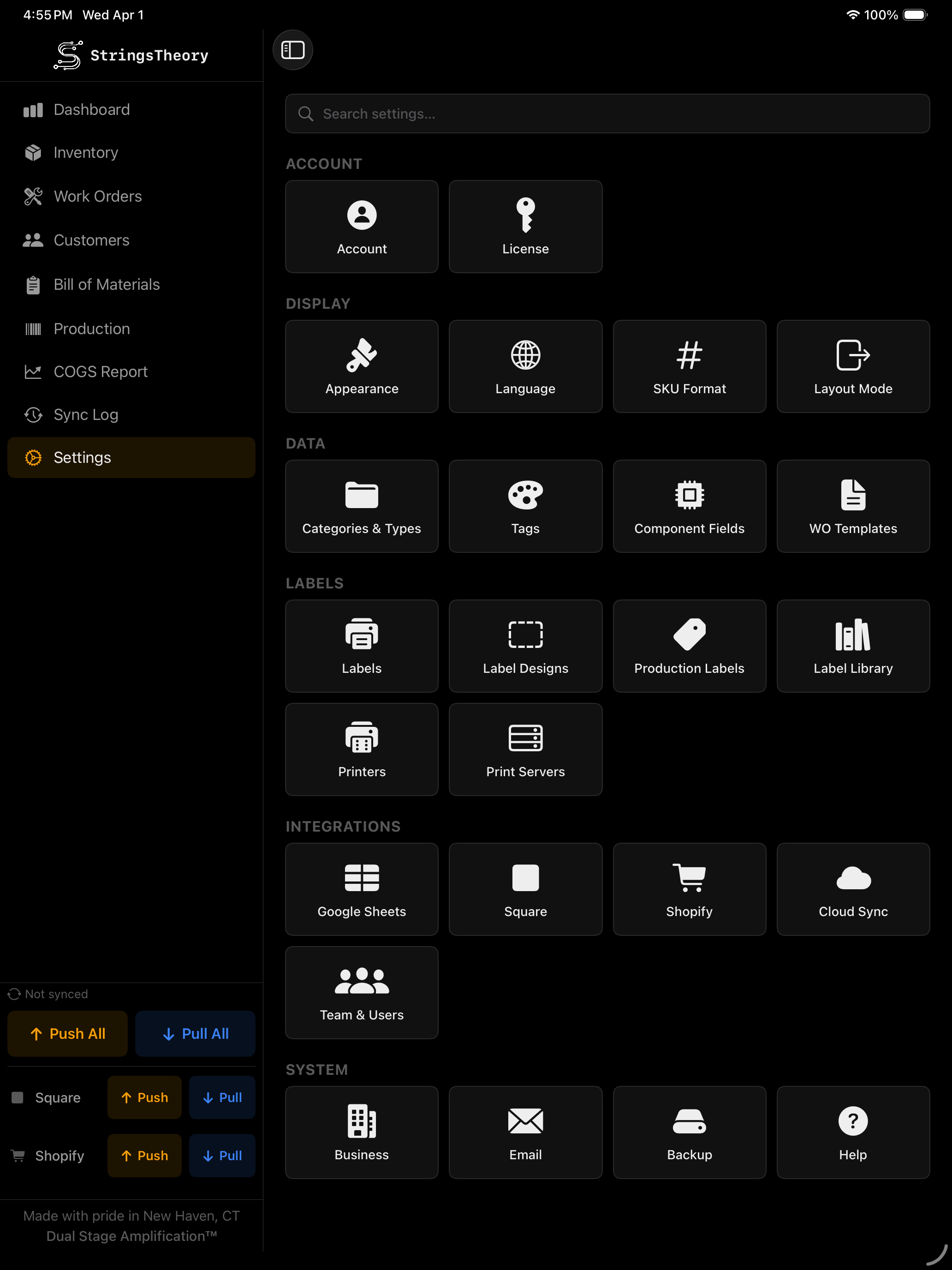
✓Category / Subcategory / Item Type taxonomy management
✓Label templates and label designer
✓Work order templates with checklists and custom fields
✓Progress tag management with color picker
✓Production field management with drag-and-drop reorder
✓Printer assignments to label templates
✓Print server configuration
✓Business profile: name, DBA, address, phone, email, website, logo, currency
✓Category, subcategory, and item type management
✓Custom component fields
✓Progress tag management with color coding
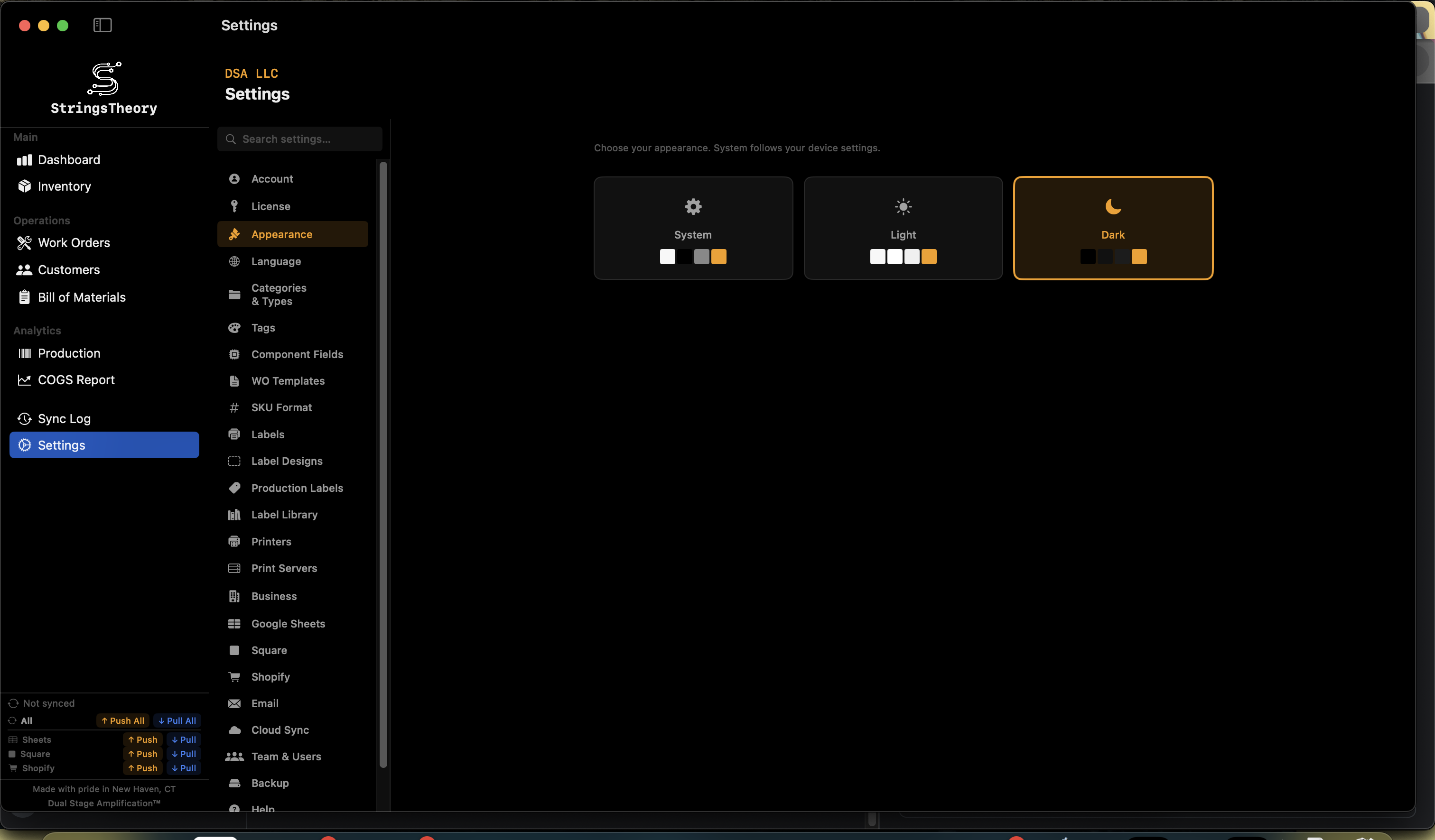
✓Language selection (English, Spanish, French, German, Japanese, Italian)
✓Light/dark theme with system default option
✓Compact vs. comfortable view mode (Mac)
StringsTheory settings on Mac StringsTheory settings on iPad
Accessibility
Built so every shop hand can use it — keyboard, VoiceOver, Reduce Motion, Dynamic Type.
✓Required-field markers (*) on Inventory, Work Order, and Intake forms with VoiceOver "required" hints
✓Reduce-Motion respected across all 28 animation sites in the app — toasts, sheet transitions, multi-select toggles, and progress animations become instant when Reduce Motion is on
✓VoiceOver labels on Dashboard stat cards ("Total Items: N") and global search results, with button traits where appropriate
✓Dynamic Type support on Help articles and the iPad sidebar navigation
✓44pt touch targets on iPad across all primary actions
✓App display name "Inventory" on the iPad home screen, macOS Dock, and Spotlight — disambiguates from other Dual Stage apps
Security
Your data stays yours. No trackers, no telemetry.
✓Row-Level Security on all database tables
✓Cross-tenant isolation hardened on all child entities
✓PKCE OAuth for third-party integrations
✓Rate limiting on authentication and sync endpoints
✓HSTS security headers
✓Keychain storage for all credentials and tokens
✓Email merge field HTML sanitization (XSS prevention)
✓No advertising trackers, behavioral analytics, or third-party SDKs
Platform Support & Internationalization
Native apps, six languages, and automatic updates.
✓macOS: Native table views, keyboard shortcuts, menu bar integration, Sparkle auto-updates
✓macOS: USB barcode scanner support, system printer discovery
✓iPad: Touch-optimized interface, camera barcode scanning, adaptive layouts, 44pt touch targets
✓iPhone: Full INV app on the go — inventory, work orders, and barcode scanning in your pocket
✓Web: Companion web app accessible from any browser
✓6 languages: English, Spanish, French, German, Japanese, Italian
✓Light/dark theme with system default option
✓Compact vs. comfortable view mode (Mac)

Ready to run a tighter shop?

Get set up in minutes. Start with a 14-day free trial on the Monthly plan — card required, nothing charged until day 15.